
Appearance
How to Create an AI Credits Plan
Last update: 12 Aug 2026
AI Credit Plans allow you to sell credit packages to your users. Customers can purchase these plans to receive AI credits.
Step 1: Open AI Credit Plans
Log in to your Admin Panel and navigate to:
AI Credit Plans -> Plans
Here you can view all existing AI credit plans, including their price, number of AI credits, and current status.
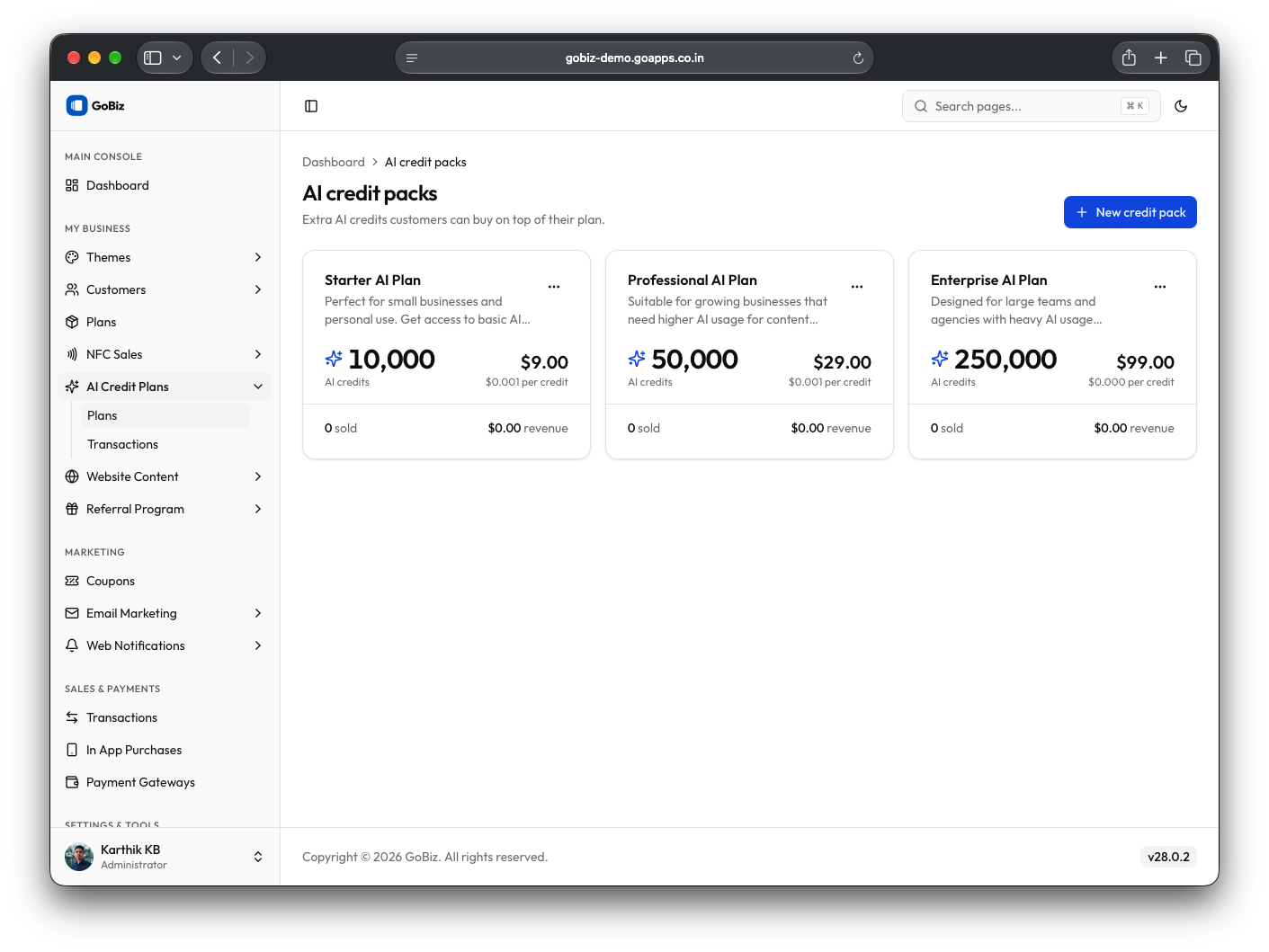
Click New credit pack to add a new plan.
Step 2: Create a New AI Credit Plan
Fill in the required information:
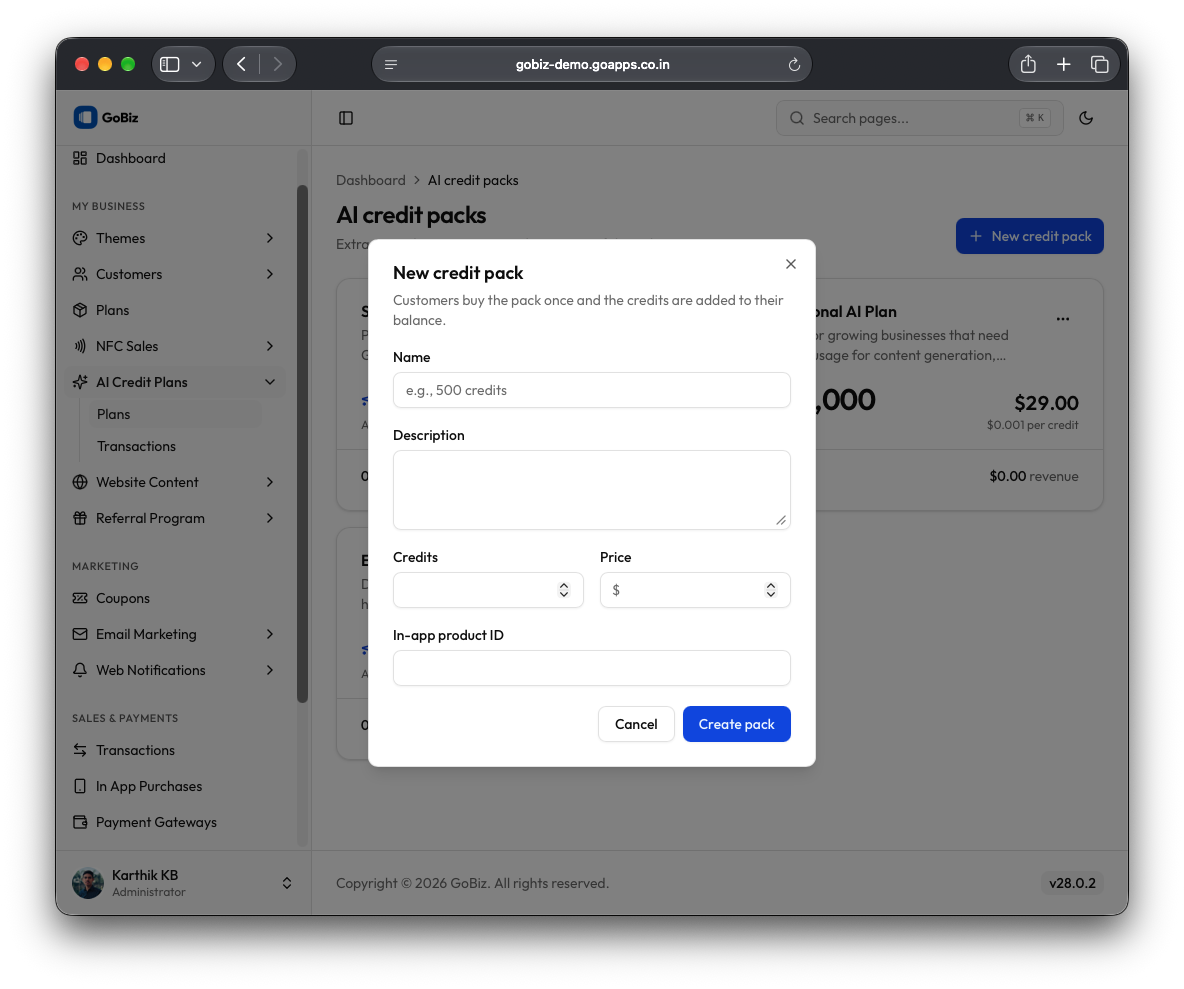
- Plan Name – Enter a unique name for the AI credit plan.
- Plan Description – Provide a short description explaining the plan.
- Plan Price – Specify the purchase price of the plan.
- No of AI Credits – Enter the number of AI credits users will receive after purchasing the plan.
- In-App Product ID – Enter the product ID of the in-app purchase.
Once all details have been entered, click Create pack.