Appearance
Last update: 31 July 2026
Log in to your GoBiz Admin Panel.
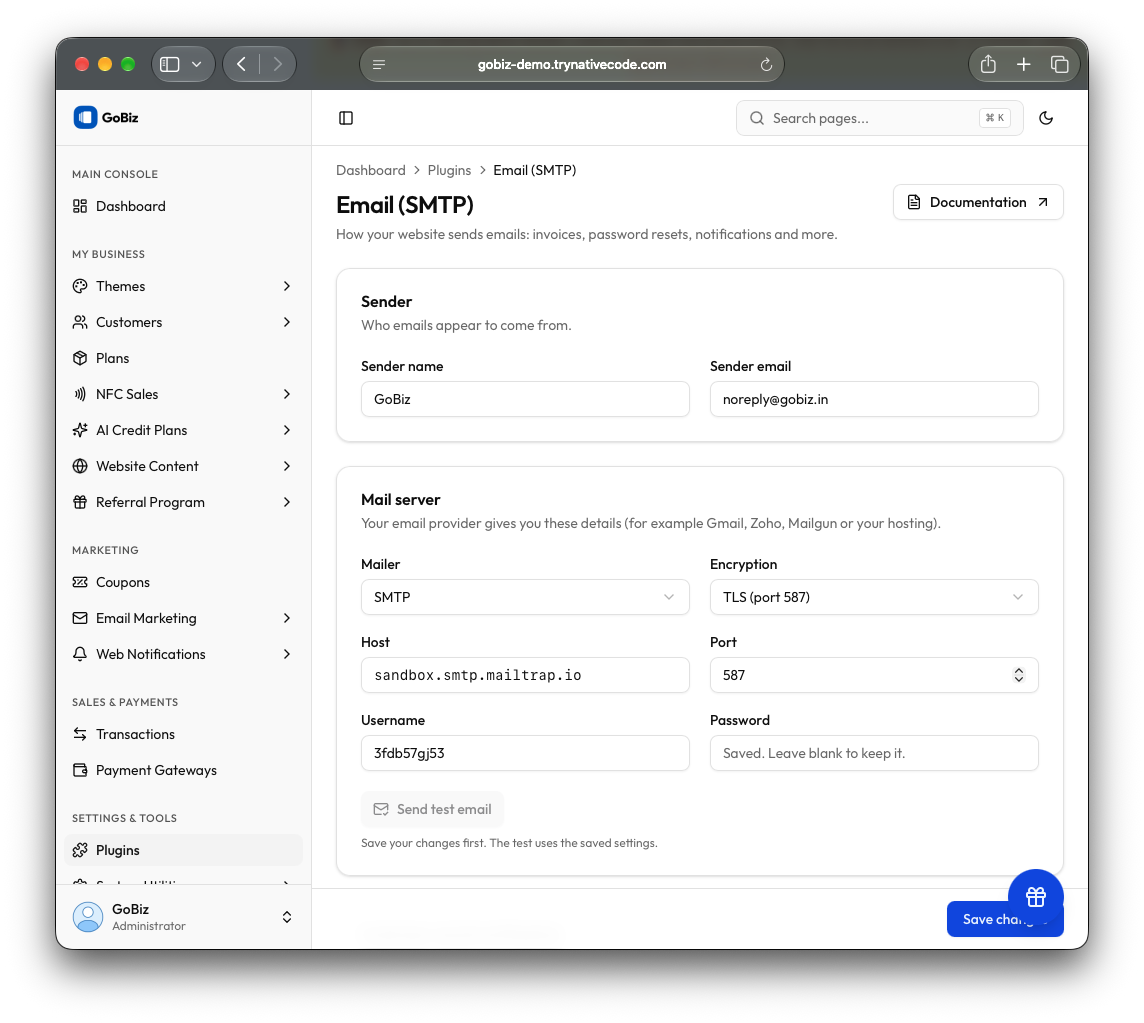
Navigate to Plugins → Email Service (SMTP) → Email Configuration.
Enter your SMTP mail configuration details, then click Save changes to save the changes.